AI Tools Revolutionizing Home Paint Color Selection
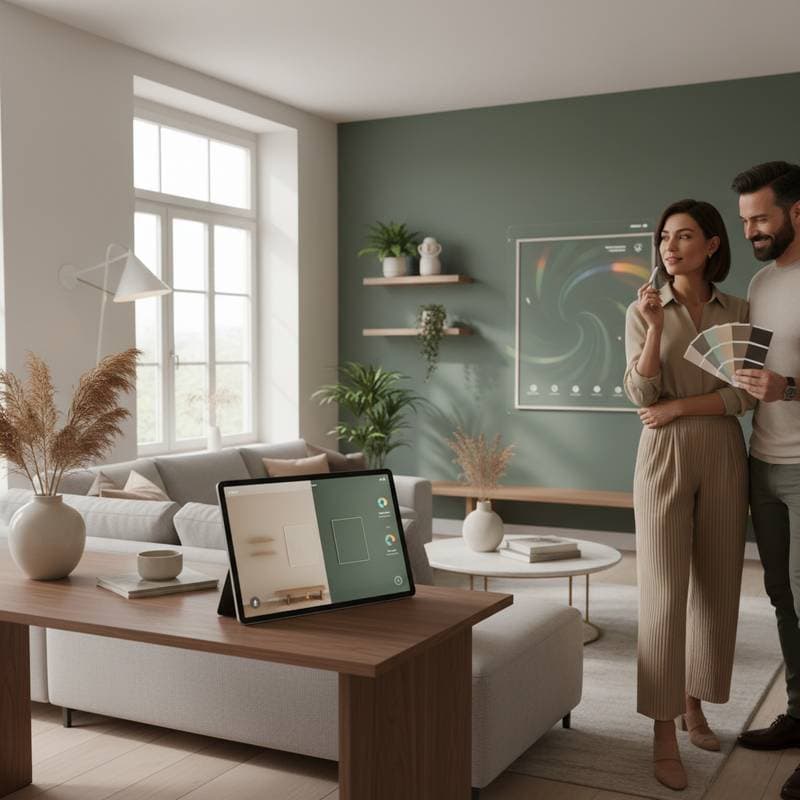
Standing before a display of paint samples, each shade subtly distinct, presents a common challenge. Individuals often hold samples to the light, questioning whether the color will translate accurately to their home environment under natural conditions. The process of selecting paint colors frequently evolves from enthusiasm to uncertainty. Modern AI-powered tools address this by enabling users to preview colors realistically in their own spaces, fostering confidence prior to commitment.
These innovative platforms examine factors such as ambient light, surrounding furniture, and user preferences to generate customized recommendations. Users benefit from virtual simulations that display how colors interact with room elements. The result eliminates much of the trial and error, streamlining the path from inspiration to application. This section explores the mechanics of these tools, available options, associated costs, and strategies for effective implementation.
Leading AI Platforms for Paint Color Visualization
A variety of AI-driven solutions dominate the market, each designed to simplify color selection. Basic functionalities often come at no cost, while enhanced capabilities require modest subscriptions. The following outlines key categories and examples.
-
Virtual Painting Applications
These programs allow users to upload photographs of their rooms and apply digital paint layers instantly. Adjustments for time-of-day lighting provide previews under morning sun or evening lamps, revealing subtle tonal shifts. Free tiers support limited color testing, whereas premium subscriptions, priced from $10 to $30 monthly, unlock extensive libraries from brands like Benjamin Moore or Sherwin-Williams. -
Intelligent Color Matching Systems
Integrated into apps from prominent paint companies, these tools scan physical items such as fabrics or artwork via smartphone cameras. The AI then suggests harmonious shades, factoring in undertones and saturation levels for seamless coordination. This approach proves particularly useful for maintaining consistency in multi-room projects or updating accents without overhauling entire schemes. -
Personalized Mood and Design Consultants
Advanced systems incorporate interactive surveys on lifestyle, room purpose, and emotional responses to colors. Based on responses, the AI curates palettes that evoke desired atmospheres, such as calming blues for bedrooms or energizing yellows for kitchens. Integrated mood boards facilitate experimentation, showing how selections harmonize with uploaded images of existing decor.
Pricing Structures and Ease of Access
Entry-level access to AI paint tools remains straightforward, with most applications available for free download on iOS and Android devices. Core features like basic visualizations and standard color swatches incur no charge. However, specialized options, including high-definition renders or integrations with professional design software, typically range from $5 for single-use licenses to $30 for comprehensive monthly plans.
Professional interior designers increasingly incorporate these tools into their workflows, generating rapid prototypes during consultations. This efficiency can shorten sessions, which traditionally command rates of $100 to $300 per hour. Homeowners gain value by preparing independently, arriving at meetings with pre-visualized ideas that accelerate decision-making.
Strategies for Optimal Use of AI Color Tools
Achieving precise outcomes requires deliberate preparation and iteration. Follow these structured steps to maximize tool effectiveness.
-
Prepare the Room for Photography: Capture images during natural daylight hours to minimize shadows and distortions. Ensure even illumination across the space without direct flash, which can alter perceived hues.
-
Provide Comprehensive Visual Context: Include wide-angle shots encompassing walls, floors, ceilings, and key furnishings. This detail enables the AI to account for reflections and adjacencies that influence final appearances.
-
Test Diverse Palette Variations: Experiment with combinations ranging from monochromatic neutrals to vibrant contrasts. Adjust saturation and brightness to align with personal aesthetics and room dynamics.
-
Simulate Varied Lighting Scenarios: Render previews under multiple conditions, such as overhead fixtures or natural window light, to anticipate real-world performance throughout the day.
-
Validate with Physical Samples: Select finalists and procure sample pots for on-site testing. Apply small patches to observe color behavior over 24 to 48 hours, confirming alignment with digital predictions.
Integrating AI Insights into Your Design Process
AI tools serve as powerful allies in bridging creative vision with practical execution, particularly for DIY enthusiasts tackling renovations. They minimize costly errors, such as repainting due to mismatched expectations, and empower users to explore bold ideas safely. Ultimately, these technologies enhance the joy of personalization, ensuring spaces reflect individual style while harmonizing with everyday life.